 Leonida Field Guide
Unofficial GTA 6 companion
Find everything in Leonida. Track every last %.
An interactive map with pins you can switch on and off, a 100% completion tracker, and a vehicle and weapon database. Free, and it works in your phone's browser next to the TV.
Real locations are added as players find them after launch on 19 November. Your progress is saved on your device.
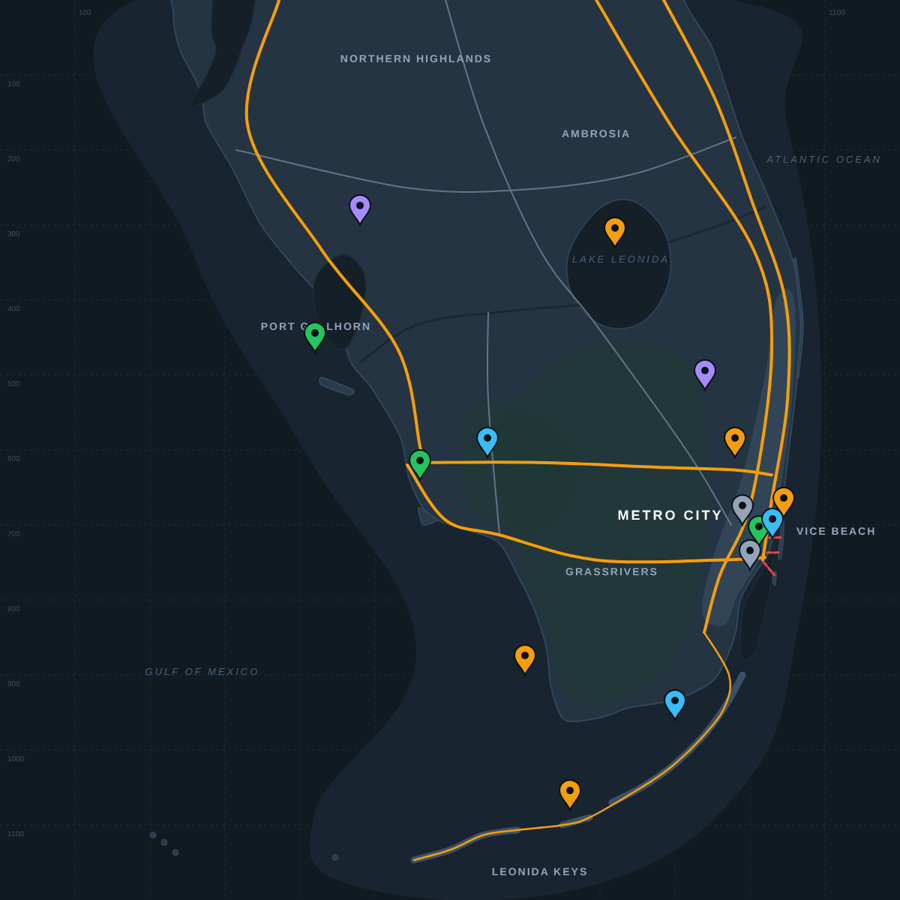
Everything for your 100% run
Built for playing with your phone beside you.
Interactive map
Zoom and pan across Leonida. Switch pin types on and off, search for anything, and hide what you've already collected.
100% completion tracker
Tick off hidden packages, stunt jumps, safehouses, encounters and missions. See your progress by category and overall.
Vehicle & weapon stats
Search, sort by speed, handling, damage and more, and compare any two side by side before you spend your cash.
Your own pins
Long-press the map to drop a pin with notes: a good parking spot, a car you want to come back for, anything.
Always up to date
New locations and stats appear automatically as they're confirmed. No app update needed.
Backup & restore
Your progress stays on your device. Back it up and restore it on another phone or computer.
Pin categories
Toggle any of these on the map.
Guides
Full location lists and stats, each linked to its spot on the map.
FAQ
Is this the official GTA 6 map?
No. Leonida Field Guide is a free, unofficial fan-made guide. It isn't connected to Rockstar Games or Take-Two Interactive. The map is our own illustration of the region.
Do I need to install anything?
No. It runs in any modern browser on phone, tablet or computer. On iPhone, tap Share then "Add to Home Screen" to open it like an app; on Android, use "Install app" or "Add to Home screen" in Chrome's menu.
When will locations be added?
The game launches on 19 November. Locations and stats are added as they are confirmed by players, and appear in the map automatically.
Where is my progress saved?
On your own device, in your browser. Nothing is uploaded. Use Back up progress in the More tab to keep a copy or move it to another device.
Found a mistake or a missing location?
Let us know through the contact details on the About page.